
The experiment
Block social media and distractions during your morning focus window. Mac app + Chrome extension.
Install the desktop app
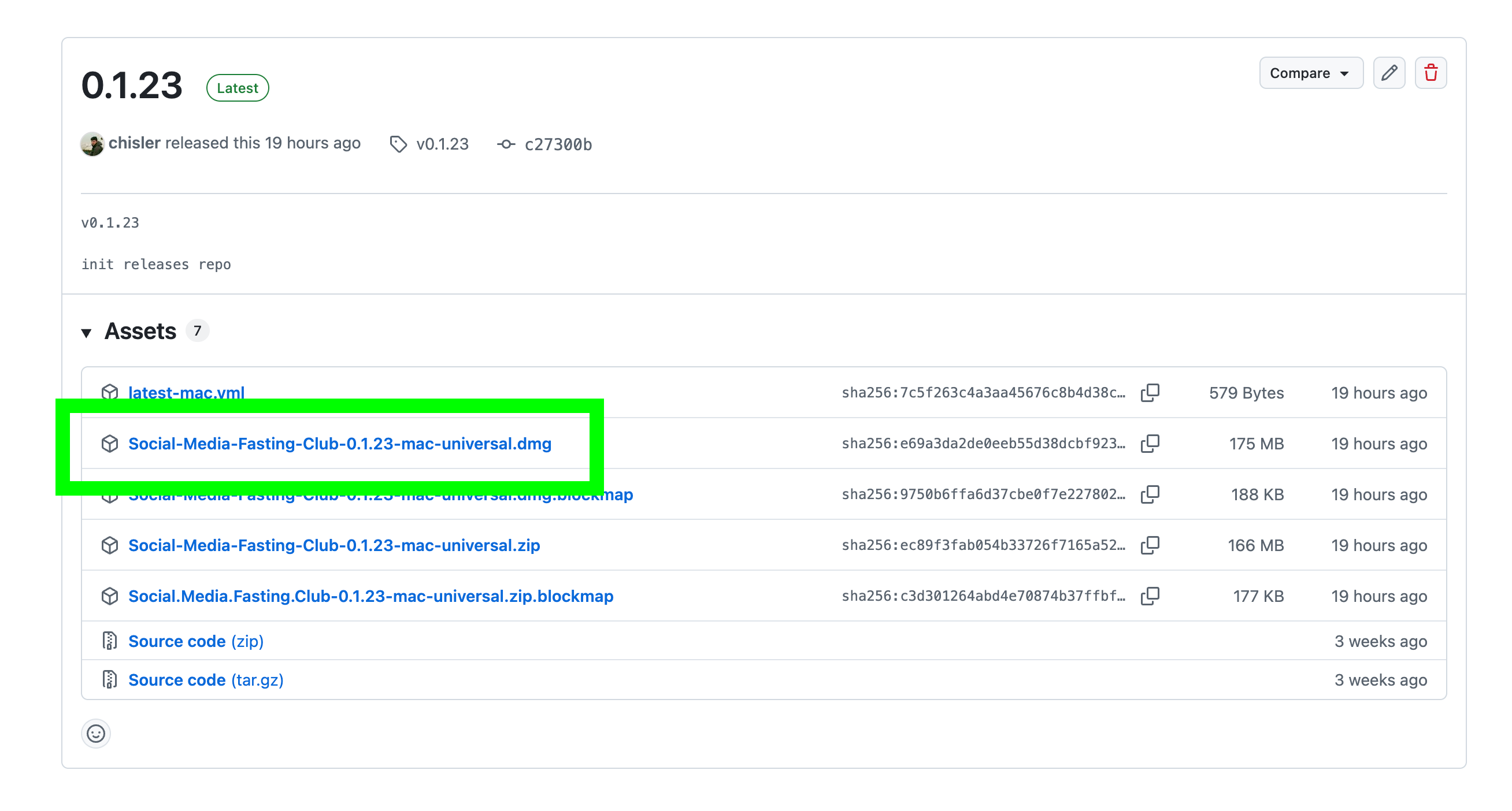
Download the .dmg installer
Open the releases page, find the file ending in -mac-universal.dmg and download it. Skip the .zip — the DMG is the installer.
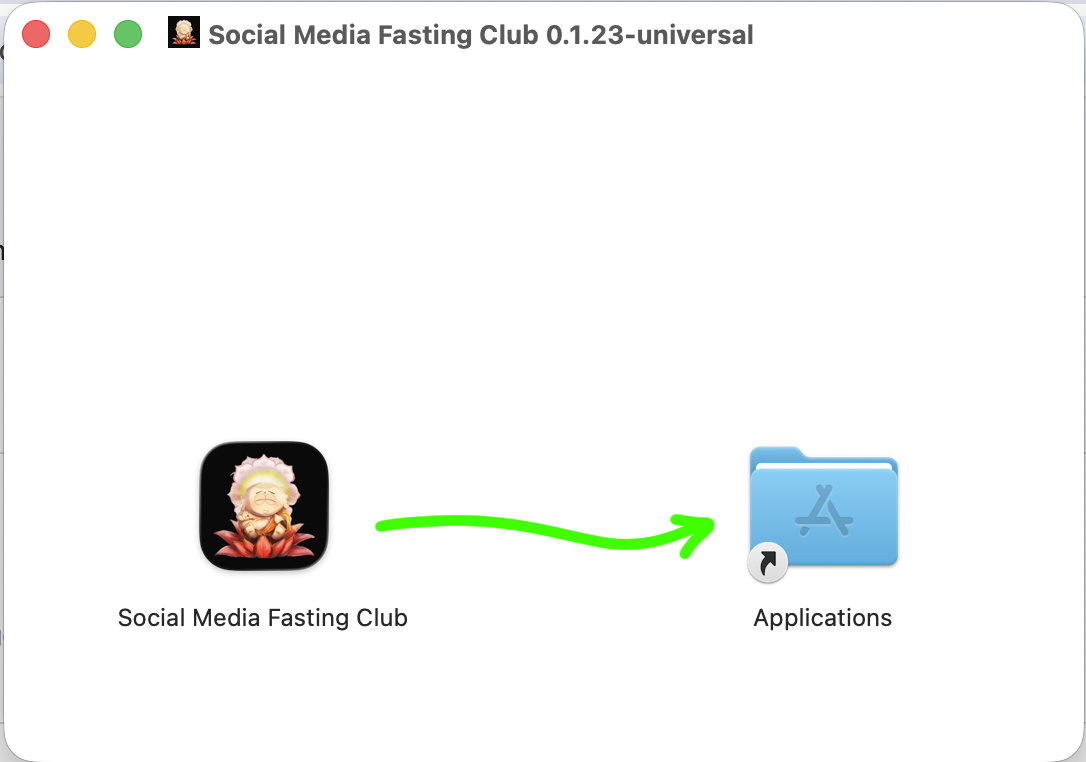
Drag the app to Applications
Open the downloaded DMG. Drag The experiment onto the Applications folder icon.
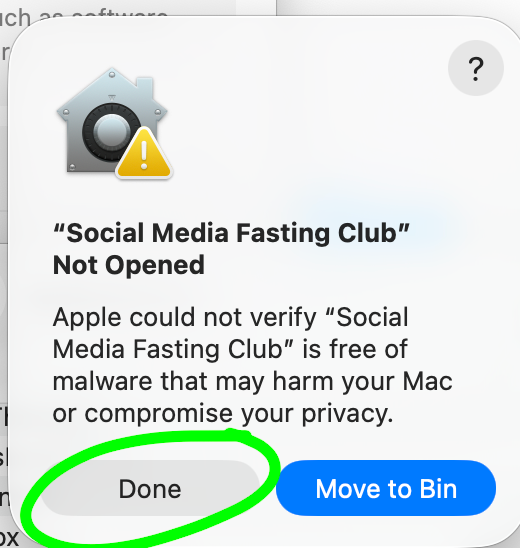
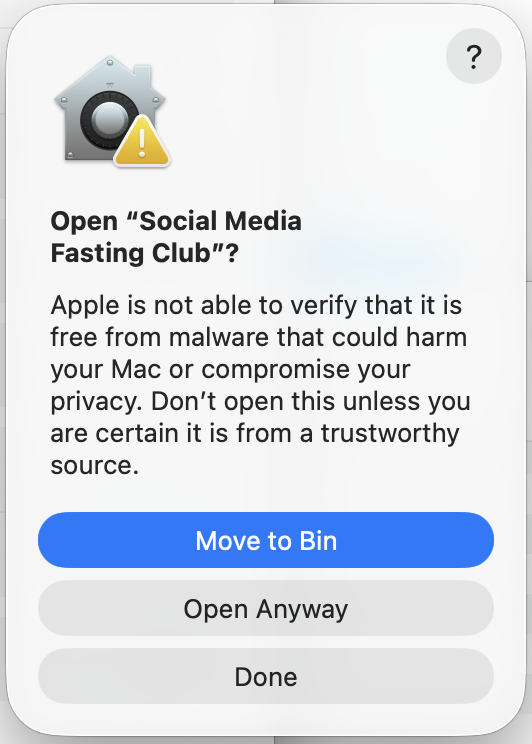
macOS will warn you — click Done
The app is in beta and not yet signed with Apple. When you open it the first time, macOS will show a security warning. Click Done — do not click Move to Bin. We'll allow it in the next step.
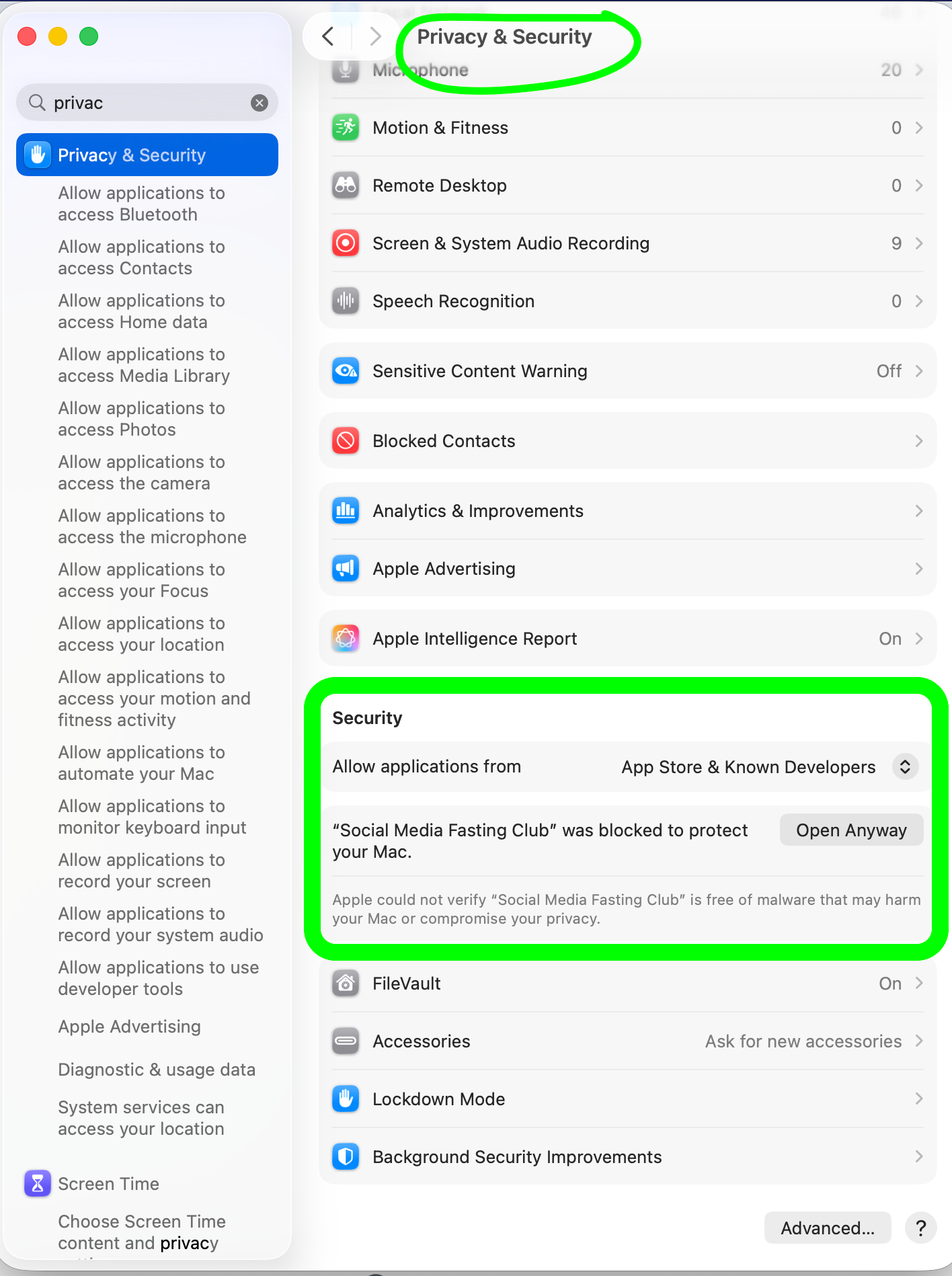
Allow it in Privacy & Security
Open System Settings → Privacy & Security. In the Security section you'll see the blocked app. Click Open Anyway.
Confirm and launch
One final confirmation dialog will appear. Click Open Anyway and the app will launch.
Install the Chrome extension
Add to Chrome from the Web Store
Open the Chrome Web Store listing, then click Add to Chrome and confirm Add extension.
Pin and verify it's connected
Click the puzzle piece icon in Chrome's toolbar, pin the extension, and confirm it shows connected.